Distributed Cognition

Distributed cognition refers to the way that individuals think and learn with technology. Salomon and Perkins (2005) identify numerous different types of technology: the traditional sense of technology today (i.e. computers, phones), technical tools (i.e. pens, pencils, paper), symbol systems (i.e. language, music), and the sciences and their notations (72-73). I will use this broad definition of technology throughout this paper. The theory of distributed cognition rejects the idea that human intelligence is isolated in the individual. Instead, it explores how intelligence is developed across multiple systems, both the human and technological, which work together to allow people to carry out cognitive functions.

Furthermore, Morgan et al. (2008) explains that distributed cognition focuses on “how people can be enabled by the environment to undertake highly complex tasks that would usually be beyond the abilities of the unassisted individual” (127). Morgan et al. highlights the power of technology in showing that, not only does technology work with the human mind to carry out cognitive functions, but it also helps people to complete cognitive tasks that they could not complete otherwise. Distributed cognition dispels the common misconception that technology is a cognitive crutch for people. Instead, the theory of distributed cognition invites an understanding of thinking and learning as a cooperative process between people and technology. 

The Lesson

The idea of distributed cognition is seen in many ways in Ms. McAllister’s 6th grade ELA poetry workstations lesson. First, Ms. McAllister uses (what looks like) an iPad to project her Prezi onto a Smartboard to give a brief lecture about poetry and analyze a few poems with the students. The presentation is interactive because students use “ActivExpressions,” a type of clicker, to answer questions and offer their ideas and opinions. The most extensive uses of technology integration is through the three poetry workstations: iPod, Techie, and Podcasting. These three stations are driven by the same series of reflection questions about poetry.

At the iPod station, students watch “poetry in motion” videos, which bring poetry alive through digital stories. After watching these videos, the students respond to discussion questions by writing on post-it notes. At the techie station, students use laptops to blog about their chosen poems; they write about the author’s purpose, theme, feelings/mood, etc. In addition to creating their own posts, students comment on their peers’ blogs, which is similar to our ED 386 class. Lastly, at the Podcasting station, students have the option to create a radio show, interview, video podcast, or audio podcast based on a previous project about poets. To complete these projects, they used laptops, headsets, and what seemed like a specific type of software for podcasting, but the teacher does not specify. The students were extremely creative with these projects. For example, some students took on the identity of their poet while others did a commentary on the person’s poetry.

Effects with and Effects of

Ms. McAllister’s diverse integration of technology exemplifies many different components of distributed cognition, such as Salomon’s and Perkins’ (2005) concept of the effects with and the effects of technology. They define the effects with technology as how technology enhances intellectual performances (72). In this case, once the technology is removed, the person’s cognitive competence decreases. For example, the teacher’s use of a Prezi demonstrates an effect with technology. The Prezi increases the teacher’s capacity to present the information in an organized and engaging manner, which may be lessened if the teacher used a traditional, technology-free lecture. The ActivExpression clickers afford the students a similar amplified performance by allowing everyone to contribute to the class discussion. For example, without the use of these clickers, more introverted students may be fearful to participate; however, with the clickers, they can contribute in more meaningful ways by answering multiple choice questions or submitting written answers, enabling these students to demonstrate their academic abilities.

The use of the iPods to watch digital stories of poetry is also an effect with technology. By hearing the poem read aloud and seeing corresponding images, students develop a more thorough, holistic understanding of the poem that if they were to read it on paper. The students can better analyze the poems when they understand them in different dimensions and forms of media. For example, hearing the poem out loud could allow students to more clearly hear the poem’s onomatopoeia. Similarly, seeing the images may make students more aware of imagery. 

The digital stories on the iPods augment students’ ability to analyze the poetry, which can also be an effect of technology. Salomon and Perkins (2005) describe effects of technology as when the use of the technology leaves long-lasting effects on the individual, either augmenting (or diminishing) cognitive functions, even after the technology is removed (77). Students can retain the cognitive abilities they learned through watching the digital stories to analyze poems on their own. In other words, as an effect of watching these videos, students will be more aware of the visual and auditory aspects of poetry even when they are just reading poetry on the page. The use of the videos on the iPods is an example of how “supportive technology—the notations, the rules, the training wheels—is designed for temporary effects with leading to lasting effects of” (79). These videos first act as scaffolds for the students, in unlocking different aspects of the poems that they could not see otherwise. However, the students can then understand and analyze the poems on their own, transitioning from effect with to effect of

The techie station, which involves blogging, is also an example of the effects of technology. Blogging and commenting on other people’s posts affords students the skills of digital etiquette. Through these activities, students learn how to write for virtual audiences in an appropriate way. For example, when commenting on other people’s blogs, students learn to be respectful and tactful, especially when disagreeing with someone’s argument. The cognitive function of having digital discussions is transferable across any digital platform, such as peer reviewing, Google docs activities, emailing, texting, etc. Blogging also affords design skills, such as creating a balanced layout between words and images. Even after students finish their blogs, they can still apply their newfound awareness of spatiality and aesthetics to other situations. Blogging allows students to develop cognitive skills that last long after students stop using the technology.

Translation

Martin (2012) creates the CTOM framework (connection, translation, off-loading, and monitoring) that applies the principles of distributed cognition to pedagogical methods, which emphasizes that student learning requires two or more cognitive systems. Translation is when technology transfers information from one representation to another. Ms. McAllister’s use of the three stations is an example of translation in itself. Each station is guided by the same concepts and reflection questions, but the information takes on different forms: visual at the iPod station, written at the techie station, and auditory at the podcasting station. Although the students are dealing with similar concepts at each station, the representation is different, which “makes information available that was previously unusable” (Martin, 2012, p. 93). These various representations allow students to understand the information in different capacities and to develop various cognitive functions, such as critical thinking, making inferences, analyzing, role playing, etc.

The iPod station is also an example of translation, as the digital stories transform written poems into a visual and auditory sphere. However, since I already discussed the iPod station extensively, I will focus on the podcast station. This station adds another layer of translation, as students are translating their previously-completed poet projects into this new auditory format. While the teacher never explicitly describes the poet project, I assume that the students had to write an essay, make a PowerPoint, or develop a graphic of some sort, which they are then transforming into a radio show, interview, or podcast. By translating the visual to the auditory, students are developing their speaking and listening skills while also making decisions about what to pull from their original project that will be effective in this new format, which requires an immense amount of critical thinking and application. 

Off-loading

Technology is often used for off-loading, which is meant to increase efficiency by allowing the technology “to perform tasks that are tedious, difficult, error-prone, or time-consuming” (Martin, 2012, p. 93). When individuals off-load these tasks, they can focus on more complex cognitive functions. Ms. McAllister implements off-loading by using laptops, specifically at the techie station for blogging. While this function of laptops is not highlighted in the video, I assume that students are using spell check and autocorrect to write their blog posts, allowing them to focus on the content of their writing rather than the mechanics. The use of off-loading in this way makes sense, as a command of English language conventions was not one of Ms. McAllister’s learning objectives for this lesson. In addition, the use of blogging off-loads the possible responsibilities and complications with communicating online because the students can easily just comment on each other’s posts. Rather than worrying about emailing or coordinating times to meet in-person, students can focus on responding to their peers’ ideas, as the blogging software facilitates the communication function. Lastly, and most simply, the students probably saved their blogs to a word processor, which is a basic form of off-loading, as explained in Salomon and Perkins (2005).

Another way that Ms. McAllister off-loads is by allowing her students to keep a list of the reflection questions from station to station. These discussion questions give the students guidance regarding the poems. Rather than struggling to analyze the poems independently, the students have prompts to scaffold their thinking, which may be especially helpful for students who are confused about the concepts. In addition, the students are allowed to keep these questions; they do not have to worry about memorizing the learning objectives because they can always consult the worksheet.

Monitoring

Martin (2012) also describes the principle of monitoring, which refers to assessing the quality of coordination between cognitive systems, such as the human and the artificial. In the classroom, monitoring takes place through formative assessments, which are used as check-ins of student understanding to guide the teacher’s instruction. Based on these formative assessments, teachers can also give feedback to the students on how to improve. Ms. McAllister’s lesson plan has numerous ongoing opportunities for formative assessment through technology. First, the “ActivExpression” clickers offer immediate feedback about her students’ level of understanding during her lecture. From the results of these clickers, Ms. McAllister can adjust her instruction to support students when they do not understand the information or move onto the next concept when they do. 

Each station also uses technology to monitor student progress. The post-it notes from the iPod station allow the teacher to assess how the students are analyzing the different dimensions of poetry. The students’ blog posts at the techie station show how they are thinking through the ideas independently, and the comments illustrate how students are refuting or expanding on their classmates’ ideas. As discussed with off-loading, spell check and autocorrect can offer immediate feedback to the students about their spelling and grammar. I do not know if the podcast station tasks are summative or formative assessments. Whether the assessment is based on the final product or on the teacher’s observations through the process, the podcast assignment assesses students’ ability to make inferences about their poet in addition to their speaking and listening skills. 

To support the students, the teacher acts as a third party between the students and the technology by offering feedback about the student’s progress and performance at each station. In the video, Ms. McAllister offers informal feedback verbally, as she observes her students working at the various stations. In addition, I assume that she will offer feedback on the final products from each station, which will not only address the students’ understanding of the information but also their ability to work with the technology.

Does technology make us smarter?

After analyzing the video, I would argue that the technology Ms. McAllister integrated into her lesson made the students smarter. Through Salomon’s and Perkins’ (2005) idea of the effects of technology, the students could have gained concrete cognitive functions, such as the ability to analyze poetic devices and to maintain digital conversations. Even after the students stop using the technology, these cognitive skills have the potential to remain. Despite these cognitive skills, the technology most likely did not raise these students’ GPAs; however, Salomon and Perkins encourage us to break away from the “essentialist conception of being smart as if nothing counts as smarter but the bare brain functioning better.” They continue, “The success of human beings in this world plainly does not depend on bare brains any more than it depends on bare hands” (75). Salomon and Perkins highlight that the prevailing definition of smart is a narrow one, which the theory of distributed cognition refutes.

Evaluating intelligence based on the isolated function of the brain is unrealistic, as people are almost always using some form of technology to think and learn with, from language to a pencil to a computer. Therefore, we must look beyond the bare brain to the students’ cognitive performances, which were undoubtedly enhanced, or made smarter, by technology (Salomon & Perkins, 2005). Through the various types of technology that Ms. McAllister used, students were able to analyze the many dimensions of poetry by watching digital stories, to have in-depth discussions with their peers by blogging, and to step into the shoes of a poet by podcasting. As evidenced by these performances, the integration of technology has undoubtedly made these students smarter by supporting and challenging their cognitive development.

Digital Story Assessment

Topic Selection and Research (____/10 points): The students should select an appropriate and engaging topic. The content of the story should be chosen based on student interest and relevant information for the desired audience. From there, the students will need to perform research about the topic that is based on both quantity and quality. 

Project Planning (____/10 points): There is evidence of solid planning in the form of scripts, storyboards, rough cuts, etc. Writing included information based on personal experience. Used personal style and feeling to engage the audience and communicate a message. The opinion was clear. There is clear evidence that all students actively participated in group discussions and activities, shared ideas freely, and located additional information or resources.

Originality, Voice, Creativity (____/10 points): As this is difficult to measure, it is important that students are challenging themselves with reaching new boundaries and providing fresh perspectives. Work done is equivalent to Hollywood television standards and is automatically ready to be put onto the big screen. 

Overall Presentation and Performance (____/10 points): All content is directly related to the topic. The content was thoroughly developed and demonstrated detailed knowledge of the topic. Opinions were supported by facts wherever possible. This component should also consider the flow, pace, and organization of the presentation. 

Attention to Detail (____/10 points): All details are unique, interesting, relevant to and supporting the main idea. Overall use of available resources and technology. Use of sound effects, audio, music, use of picture movement and overlapping. Develop media engagement through an organized process. Also, the media is appropriate, balanced, and well considered.

Field Observation 2: Access to Technology

After scanning the faculty and staff directory at Beachwood High School (BHS), the only position from Dr. Shutkin’s list that I identified was the Library Media Specialist, who is Angela Maxwell. Paige Dudley is another librarian and the Media Assistant. However, the following positions were not applicable: Director of Educational Technology, Curriculum Technology Integration Specialist, Technology Maintenance, and Technology Security Personnel. However, I did identify a few people with the title Technology Teacher, which included: Marc Chalice, Christopher Croftcheck, and Craig Alexander. 

While it was not clear from the website what the role of Technology Teacher entails, there were many courses offered at BHS that deal directly with technology, such as AP computer science, honors media production, honors robotics, honors software engineering, Adobe Creative suite, and TV production sequence. Therefore, I infer that these three Technology Teachers may take part in teaching these types of classes. I also thought of the possibility that they may help other teachers to facilitate the integration of technology in the classroom or briefly drop into classes to demonstrate different types of software for the students. Unfortunately, I could not find this information on the website. In addition, I emailed my cooperating teacher last week, but she has still not responded; I am assuming due to the circumstances with coronavirus. 

Regarding the technology that is available, Ms. Shapiro explained to me during my observations that each student has access to a Google Chromebook. Rather than having a technology cart in the classroom, which I have frequently seen in other schools, students check their Chromebook out of the library at the beginning of the year. After checking it out, they are free to use the device for the entire year, which includes bringing it home. As a result, families are not responsible for purchasing these devices for their children.

Students also have the option to bring their own personal device to school if they already have a laptop they use regularly. In the English classroom I observed, there was a fairly even breakdown between students who had their own personal devices and those who used the school’s Chromebooks. I thought this policy was interesting because it may create inequality for students who may have access to better technological resources than others; however, I understand the students’ and parents’ desires to be able to utilize technology that they already own and understand.

In addition to these Chromebooks, students have access to the computers in the library, which are in working order; students simply have to sign in at the front desk to enter the library, and they are free to utilize whatever resources are present there. However, I did not discuss with Ms. Shapiro if there is a means for reserving different types of technology. Teachers have the same access to technology as the students so it seems, but I did find this form on the BHS website, enabling teachers to request technology that they would like the school to purchase. The form states that requests are granted based on “need, consistency with current/future technologies, and pilot projects” by a Technology Committee, which is directed by Ken Veon. 

Regarding a firewall application, Ms. Shapiro and I talked briefly about a software called Guardian that the school is trying to implement next year. After looking at the company’s website, Guardian is primarily used to prevent unauthorized tracking, block aggressive ads, mask IP addresses, and secure data. Ms. Shapiro mentioned that the Technology Committee, which is spearheading this effort, is also considering blocking more specific applications, such as Facebook, Twitter, Instagram, etc., to eliminate distractions for students. She understood this decision, as many students use these programs during class time or study halls. However, she also thought it was problematic because she, and a few other teachers, often try to incorporate these social media applications into the classroom to engage with the students and spark their interests. As a result, she is working with the committee to ensure that there is a way for teachers to move around the firewall if they want to utilize a blocked application.

Field Observation 1: Reflections about my Students

Ms. Shapiro, an English teacher, utilizes collaborative learning and small group work quite often in her classes at Beachwood High School. During almost every class I observed, Ms. Shapiro would only lecture for a short amount of time, if at all, leaving time for students to collaborate. The students worked well in groups, allowing other students’ voices to be heard while also contributing their own original ideas. As evidenced by this smooth operation, I inferred that small group work is a method that the students were used to and comfortable with.

Between her sophomore and senior classes, Ms. Shapiro facilitated small group work differently. She implemented more structure for her sophomore classes, whereas she gave the small groups in her senior classes more independence. For example, for her sophomores, Ms. Shapiro assigned groups each day to ensure that her students were working with a variety of other people, which has both academic and social benefits. However, she allowed her seniors to work with whomever they wanted; while the senior class became slightly rowdy as a result, they worked efficiently for the most part.

Ms. Shapiro also had checkpoints for her sophomore class, in which the small groups came together for brief large group discussions. Therefore, the sophomores worked in small groups for shorter intervals of time. In contrast, Ms. Shapiro allowed the seniors to use their small group time more freely without dividing it into distinct segments. Rather than implementing checkpoints, Ms. Shapiro made herself available to the senior students if they had any questions or concerns.

Digital technology is an integral part of daily classroom activities. Students bring their personal computers to class, and, if they don’t have one, the school provides a Google Chromebook. Google Classroom is used everyday, as a platform allowing for collaboration between students and the teacher. Ms. Shapiro also uses it to disseminate information and gather submissions, similar to Canvas at JCU. I would say that these forms of technology and similar platforms have become normalized in most classrooms at this point. Students need their Chromebooks and Google Classroom like they need a pen or pencil, and I have seen this dynamic in many classrooms that I have observed.

In addition to these more basic uses of technology, Ms. Shapiro explained that showing videos or digital stories is extremely effective in her classroom. For example, her senior students are currently writing research papers that must be centered around a social issue. To inspire her students and ignite brainstorming, Ms. Shapiro showed clips from episodes of 60 Minutes and shorter opinion documentaries (or op/docs) from The New York Times. The students were very engaged with these videos, as shown by the vivid discussions that often followed.

Many students commented how moved they were by the videos’ emotional weight, echoing one of Lambert’s (2012) seven steps of digital storytelling—owning your emotions. Drawing on this digital storytelling strategy, several students wanted to incorporate their emotions and personal connections about their topic into their research papers to appeal to the audience. These videos and digital stories provided students with a solid jumping off point, allowing them to develop their topics and writing.

Regarding students’ use of technology beyond the classroom, students discussed their use of social media platforms, specifically YouTube, Instagram, Snapchat, and Tik Tok. When I asked the students why they enjoy using these programs, many responded that they enjoy the collaborative aspect of being able to create and share content not only with their peers but with the global community. In addition, students explained that these social media platforms serve as the primary form of communication among teenagers, rather than texting.

Ms. Shapiro noticed and drew on this interest by incorporating an Instagram project in the curriculum during the last semester. She explained that the students created a digital personal narrative on Instagram by posting a series of pictures from their lives with captions to tell a story. Through this creative project, Ms. Shapiro used technology to draw on her students’ “out-of-school” identities, allowing her to “re-see” what is possible in the classroom (Miller et al, 2010). Similar to the case study in Miller et al (2010), Ms. Shapiro incorporated technology that the students were already familiar with (Instagram) through their lifeworld experiences, allowing them to connect what they knew to what they were learning about writing personal narratives.

Ms. Shapiro’s ability to draw on her students’ lifeworlds also speaks to the small group dynamics. As mentioned previously, she was still involved in her students’ small group experiences, although to different degrees in her sophomore and senior classes. Only by becoming an active group member could Ms. Shapiro get to know her students and their interests to make something like the Instagram project possible.

One pedagogical implication of Ms. Shapiro’s use of technology is her ability to be flexible with the scaffolding for her sophomores and seniors. Dalton (2012) explains that scaffolding is an integral part of multimodal compositions. One effective form of scaffolding is peer collaboration, as students can navigate new programs together or bounce ideas off each other in small groups, which is exactly what I saw in the classroom. However, Dalton warns that too much scaffolding can be detrimental, constraining and stifling the creative process. I thought that Ms. Shapiro found this happy medium. She supported the small groups in different ways (more structure for the sophomores, more independence for the seniors) while still allowing the students to take the reins and work with technology autonomously.

At the end of the last class I observed, Ms. Shapiro introduced a new project: The students have the option to create a live TED Talk, live podcast, or a digital story based on the information from their research papers. While Dalton (2012) cautions against relying on writing before multimodal compositions, I infer that the students’ research papers will provide them with a strong foundation for creating compelling digital stories and other presentations. I look forward to seeing what the students create in the coming weeks.

3. Poptropica has Come to a Stop(ica)

After completing the Time Tangled island, I tried the Virus Hunter island. Although the premise of the game was similar, it was noticeably more difficult. The Time Tangled island was a level one difficulty, and the Virus Hunter was a level three difficulty, which showed in the game. The riddles were harder to solve than in the Time Tangled island, and the objectives were not as straightforward. In addition, the Virus Hunter island involved more exploration, as I had to click on seemingly unimportant objects to uncover clues. For example, I found crumpled up letters in a trash can that revealed to me the next part of the mission. I found myself becoming mildly frustrated playing the Virus Hunter island, so I wonder if junior high or high school students would be frustrated as well or if they would be motivated to take on the challenge.

Whereas the Time Tangled island was more history-oriented, the Virus Hunter island could be applied in a science context. The storyline is that there is a character on the island that is infected with a deadly virus. I have to figure out who has the virus and how to cure it in order to save the world from “complete global extinction,” as seen in Figure 1.

Figure 1: The consequences if the player does not solve the mission

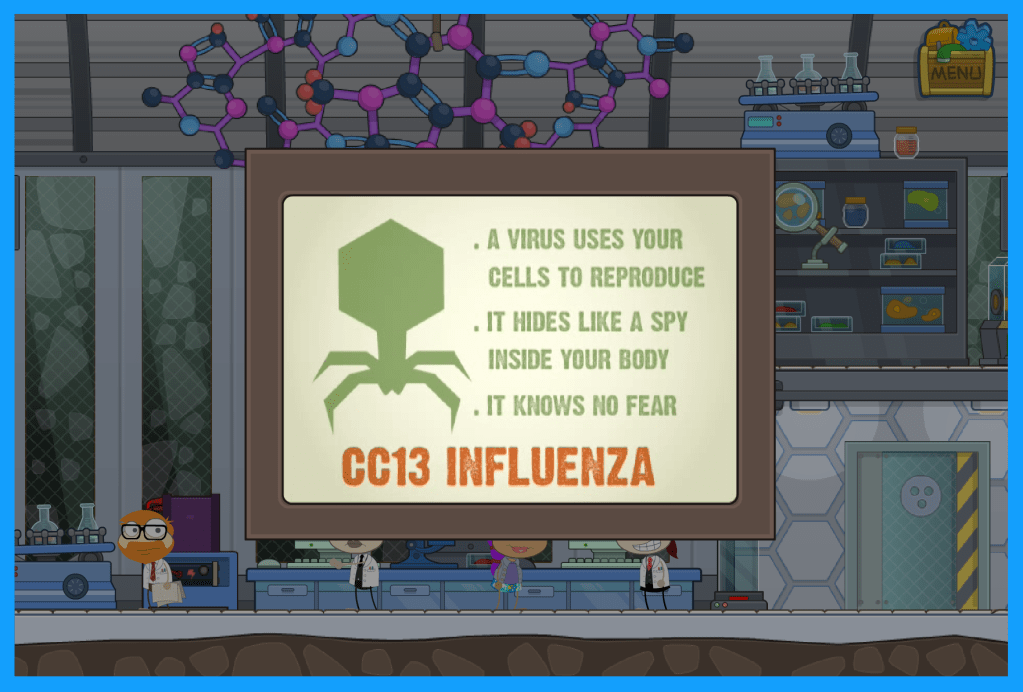
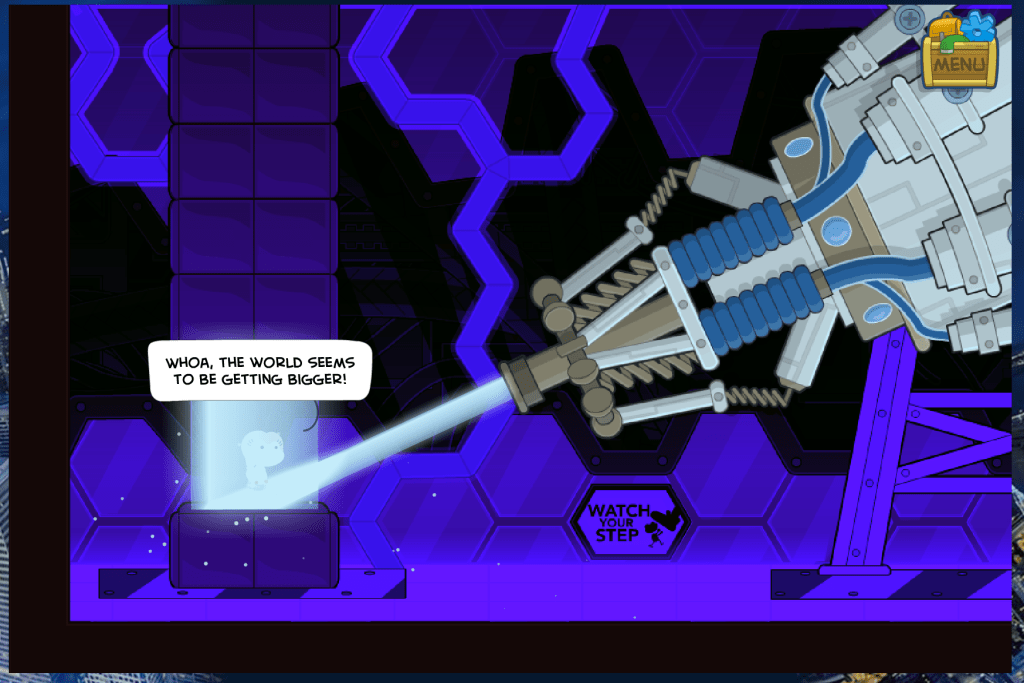
The game also incorporated some basic level information about anatomy and how viruses work, as illustrated by Figures 2 and 3. In addition, there was an interesting part of the game where my character was shrunk down so that she could an infected person’s body to fight the virus, as shown in Figures 4 and 5. These aspects of the game provide students with a unique, hands-on approach to anatomy. Furthermore, I thought this island reflected the fish tank learning principle, as mentioned in Gee’s article. While anatomy in relation to viruses is a complex topic, this island simplifies it down to more basic concepts, allowing for a point of entry for students.

I believe that the presence of the fish tank principle within the game enables it to be used as either an introduction to a science lesson or a conclusion. If used as an introduction, this island would allow students to encounter the content material for the first time in an engaging yet simple way, as to not overwhelm students. On the other hand, the teacher could implement the game at the end of the lesson, in which it would act as a basic review of concepts to solidify student learning.

Figure 2: Content knowledge about organs
Figure 3: Description of the deadly virus

The Virus Hunter island most obviously fits into a science context, so I tried to apply it to other disciplines as well. A teacher could incorporate this island into a history lesson about current events, possibly relating it to the outbreak of the Coronavirus and its implications. I also extrapolated that this island could be used in an ELA context if the class is reading the apocalyptic literature genre. Although this book is not typically taught in schools, I immediately thought of Richard Preston’s Hot Zone, which is a nonfiction book about the incidents surrounding infectious viruses, such as the ebola virus. Furthermore, this island could be used as supplemental material for students’ reading comprehension.

Poptropica is not your typical “educational game,” which I initially thought would be a hindrance to effectively implementing it into a classroom setting. However, I believe that the game’s open-endedness actually creates multiple possibilities of integrating it into the curriculum. The potential application of Poptropica in many different contexts reflects Shapiro’s point that games should allow players to engage with knowledge in interdisciplinary ways (2014). I believe that the immersive nature of Poptropica allows students to understand complex situations, like a virus outbreak, from various angles.

Figure 4: The shrink ray reducing my character to a microscopic size
Figure 5: My character after entering an infected person’s body

In my initial blog post, I thought that Poptropica was a crossover creative game-based platform, meaning it could be used as a short-form or long-form game. However, after playing for awhile, I believe the game would be more effective as a short-form game. Due to the games’ various distractions, which I discussed in my last blog post, I would argue that students could better maintain their focus on the games’ missions if playing for short periods of times. Furthermore, the islands do not provide enough depth to be used as a long-form game throughout the duration of an entire unit, as I could complete an island in one or two sittings. Rather than being used as an integral tool to teach a specific skill or knowledge, I think that Poptropica is better used in small doses to enhance learning experiences for students.

Reflecting on the game as a whole, I undoubtedly see more educational value in it now than when I mindlessly played as a teenager. It was fun to see an old game through a new perspective! However, I think this reality speaks to the importance of a teacher. Without a teacher’s guidance, students could easily become swept up in the fun and excitement of the game without reflecting on its connections to the class material. While Poptropica has some limitations, I believe that the game makers ultimately succeeded in creating a game that is both fun and educational, and I can envision myself utilizing this game in the classroom.

2. Poptropica isn’t Perfect: A Few Criticisms

Distractions

After spending more time playing this game, I have noticed a few downfalls. For example, there are many distractions from the central purpose of the game, such as an arcade, pet store, clothes shop, etc. These extra pieces are completely unrelated to the game’s various islands and missions, and they may draw students’ attention away from the richer parts of the game. Therefore, one possible role of the teacher is ensuring that students are engaging with the more mission-based, narrative aspects of the game. 

Figure 1: A few distractions – Pop Store and Pet Barn

Advertisements

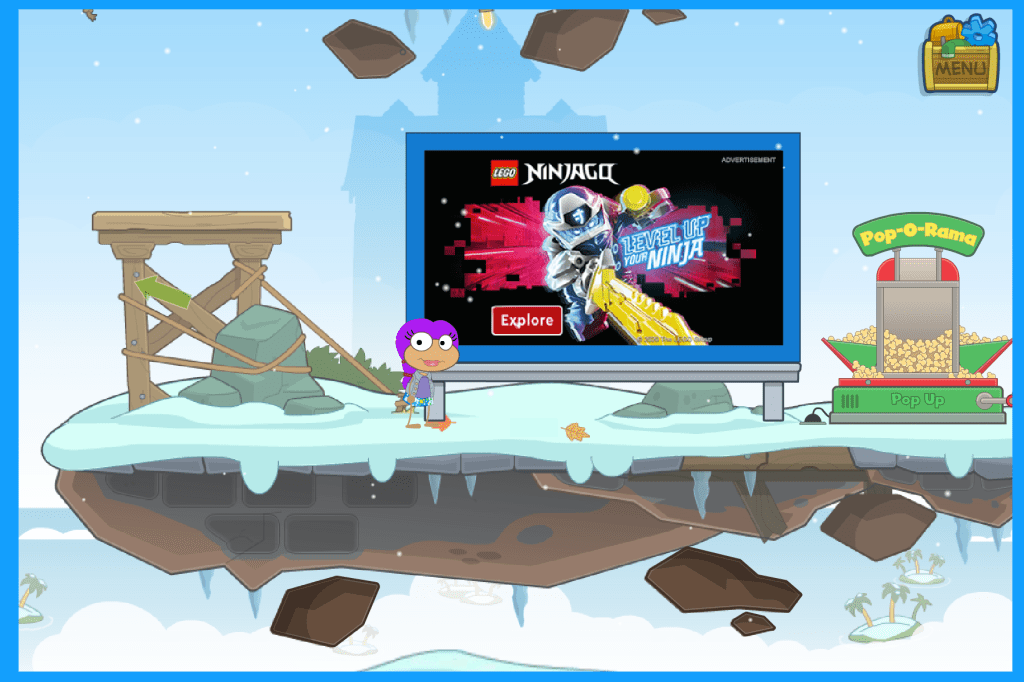
The free version of the game is full of advertisements. In many cases, students must avoid enticing click bait to pass from one setting to another, even within one island. While this is a potential downfall, these advertisements may also provide important teachable moments. Students must learn to exercise self-control and discipline while browsing the internet, and they can practice and develop these skills in the low-stakes environment of classroom game play.

Figure 2: A click bait “Ninjago” ad in the middle of a mission

Too “Game-like”?

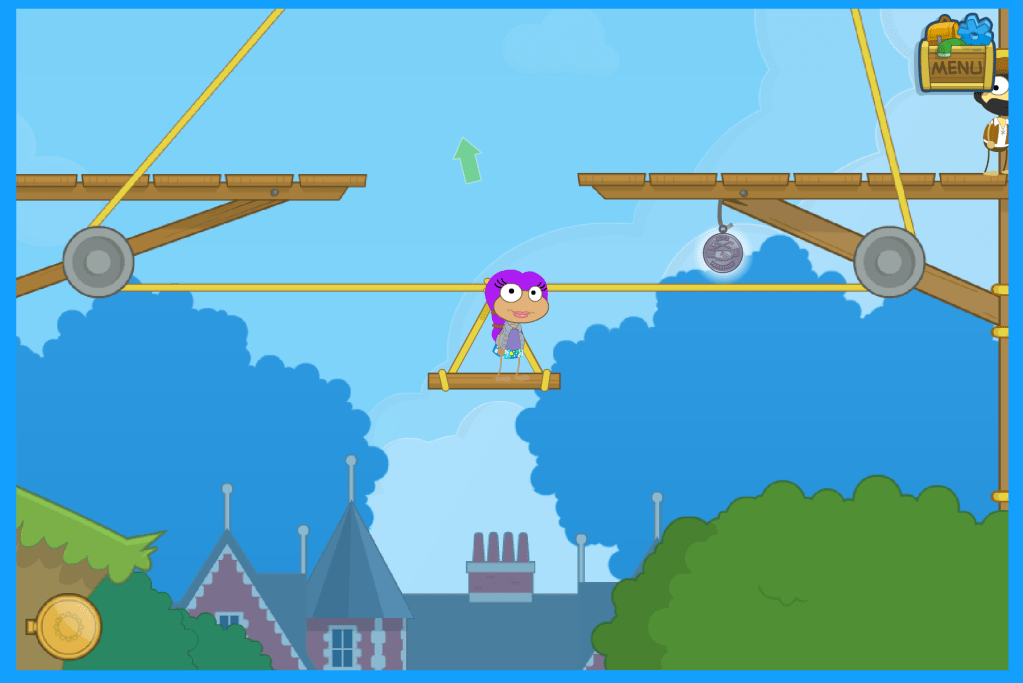
Similar to the unrelated components of the game (i.e. pet store, arcade, etc.), I have discovered that some missions within the islands do not possess much educational value. Returning to “Time Tangled” island, one aspect of the mission is jumping to grab a medal in a difficult position. I tried multiple times before successfully obtaining the medal, and I grew frustrated with this aspect of the game. It was troublesome that, without acquiring the medal, I could not even complete the next objective. I was stuck. This mindless mission detracted from the game’s overall exploratory, creative nature. As a result, I fear that students would become too caught up in aspects of the game that involve mouse dexterity rather than focusing on the valuable overarching mission, which is an inherent problem with the mechanics of the game. 

Figure 3: Trying to obtain the medal

Another aspect of the game that may detract from its creative, exploratory nature is the ability for players to bypass the more content-driven, skills-based aspects of the game once they understand the strategies needed to pass the island. For example, while the “Time Tangled” island is confusing at first, there is a clear pattern to the mission, which I discovered after playing for awhile: once you return an object to one time period, you gain information about the next step in the mission.

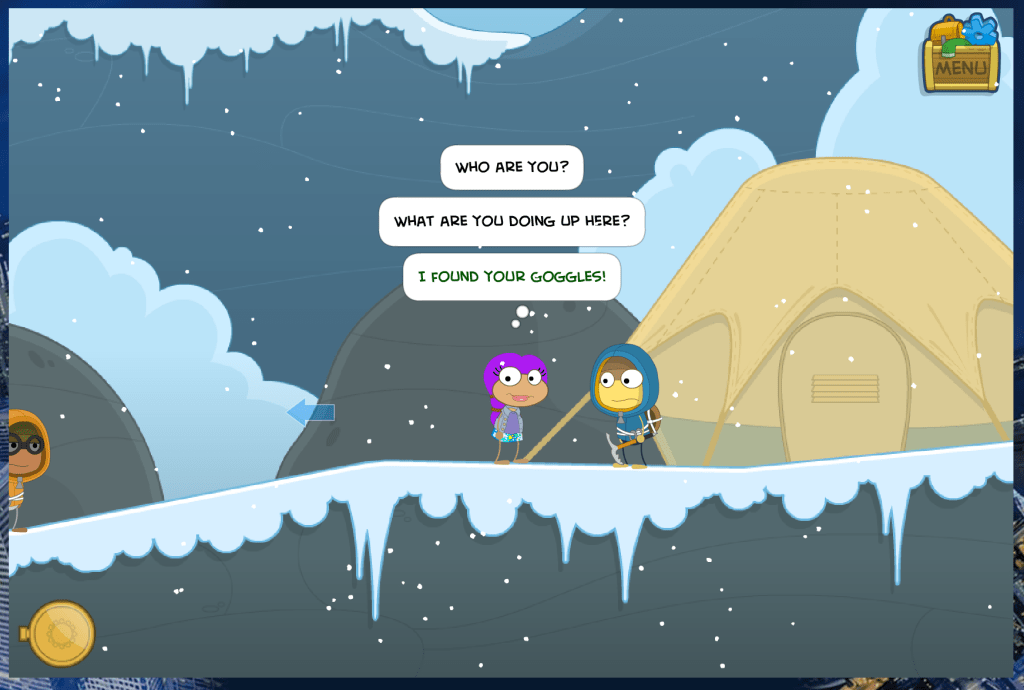
Furthermore, there were times when I found a missing object before talking to the people I was “supposed to talk to” first. As seen below, I found Edmund Hillary’s goggles before getting the chance to talk to him to figure out what he needed. Therefore, I could skip the “Who are you?” and “What are you doing here?” questions and simply give the character the missing object to move forward in the mission. However, if I was a student playing, I would miss out on the opportunity to find out who this character was and what he did — Edmund Hillary, the first man to climb Mount Everest.

Figure 4: Using “tips and tricks” to circumvent the substance of the game

This downfall of the game reflects one of Squire’s concerns about video games as ‘designed experiences’: “A number of educators and critics have raised valid concerns that what players learn from games is not the properties of complex systems but simple heuristics (e.g., one learns the strategic necessity of always keeping two spearmen in every city). The fear is that without access to the underlying model, students will fail to recognize simulation bias or the ‘hidden curriculum’ of what is left out” (Squire 2006, p. 21).

After playing for awhile, I could easily figure out the strategy of the island. Therefore, I could just go through the motions without taking advantage of the skills and content knowledge that the game afforded, as explained by Squire in the above quote. I knew that I needed to give the character the goggles, so I bypassed the more substantial aspects of the game in order to complete the island faster.

I think students might become too wrapped up in the heuristics of the game without acknowledging its underlying model. Unlike the McDonald’s game that we played in class, Poptropica is not directly trying to convey a specific ideological message; however, there are definitely important messages within the game that students could miss if they are not paying close attention. For example, the “Time Tangled” island affords the possibility of multiple understandings of history by incorporating various cultures and time periods throughout the game. However, students could easily overlook this aspect of the game if they become too engrossed by completing the various missions; this is where the teacher comes in. I believe that Poptropica can still be an effective game if teachers provide the students with guidance, especially by pointing out the games’ intricacies and connecting them back to the overarching lesson.

1. Popping into Poptropica

I chose to play Poptropica for the video game exploration because I played it as a teenager for fun—never in school but simply on my own time at home. As a child, I never considered this game to be “educational,” so I am curious to explore it through the lens of a teacher. 

(Re)learning to play the game

Poptropica is an exploratory game where players can choose from a variety of islands; players must complete a series of missions within the island to accomplish an overarching objective. Before diving in, I created my own avatar, which was a fun way to get involved in the game from the start. I chose the island called “Time Tangled.” The objective is to return various objects that have been scattered throughout space and time, due to a malfunctioning time machine, to their rightful place in history.

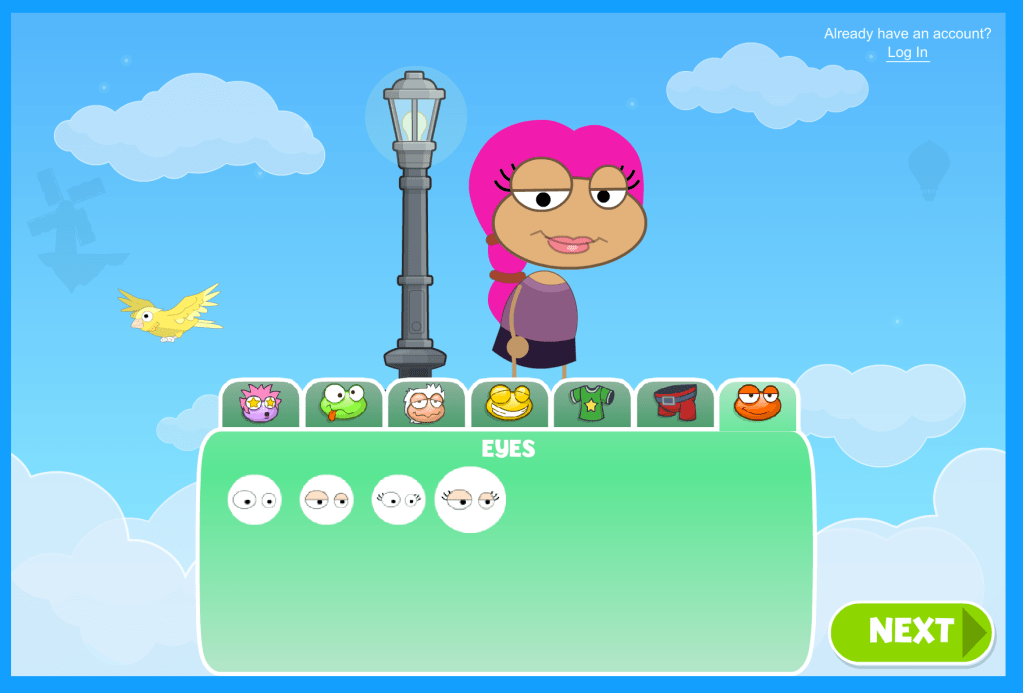
Figure 1: Creating my avatar

The game is fairly difficult, and I have not yet completed the island I chose. I have learned that successfully completing an island is definitely a time investment. While the game may become redundant or boring for older students, I think it could be effectively  implemented in a 7th, 8th, or 9th grade classroom, as it has many affordances.

Poptropica affords students the ability to hone a variety of skills, such as critical thinking, problem solving, pattern recognition, organization, etc., which are important across all disciplines. For example, in the “Time Tangled” island, I have had to keep track of numerous clues and objects from various characters to work toward the objective of restoring history. I even made myself a list:

  • Oracle needs gold vase
  • Vikings need hammer amulet 
  • Da Vinci needs his notebook 
  • Merchant needs salt rocks 
  • Aztec king needs piece of sun stone 
  • Construction worker needs stone bowl 
Figure 2: My current collection of items

In addition to these skills being embedded within the game, there are also brief mini games that focus on them specifically, such as assembling a puzzle or solving a series of math problems. 

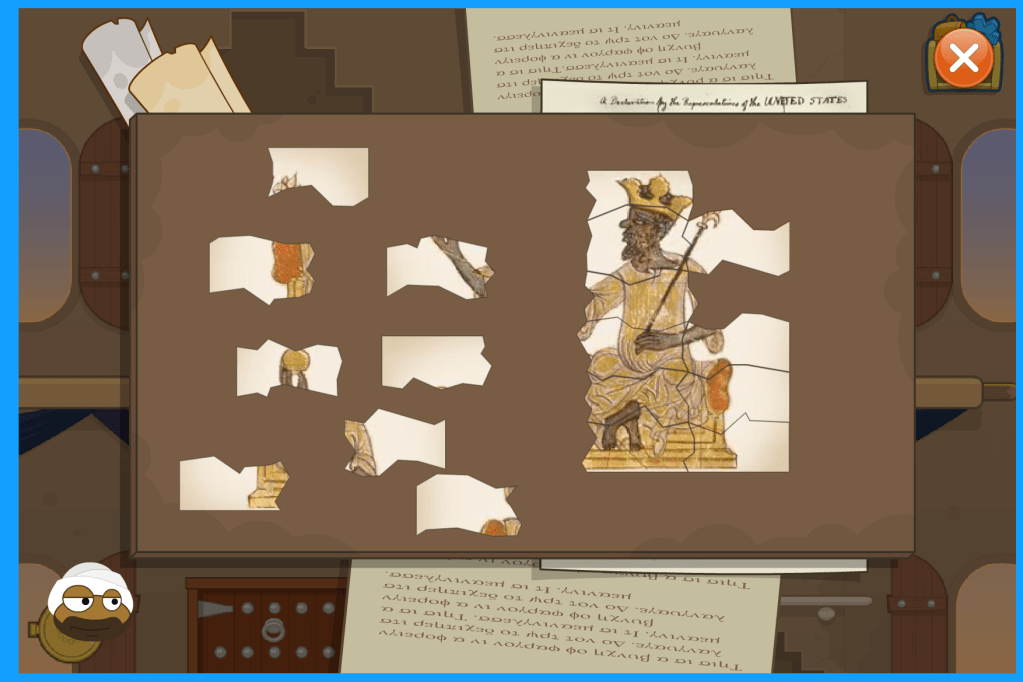
Figure 3: One of the island’s minigames

While playing the game, I also noticed that it forces the players to be creative, curious, and think outside the box. For example, I had to converse with every character I encountered because I never knew who would give me valuable information. In addition, I had to explore the various settings in depth because there were often hidden clues. Although there are certain missions to accomplish, players can use a variety of strategies and methods to reach the objective. In other words, there is not one defined path that players must take to accomplish the goals of the game.

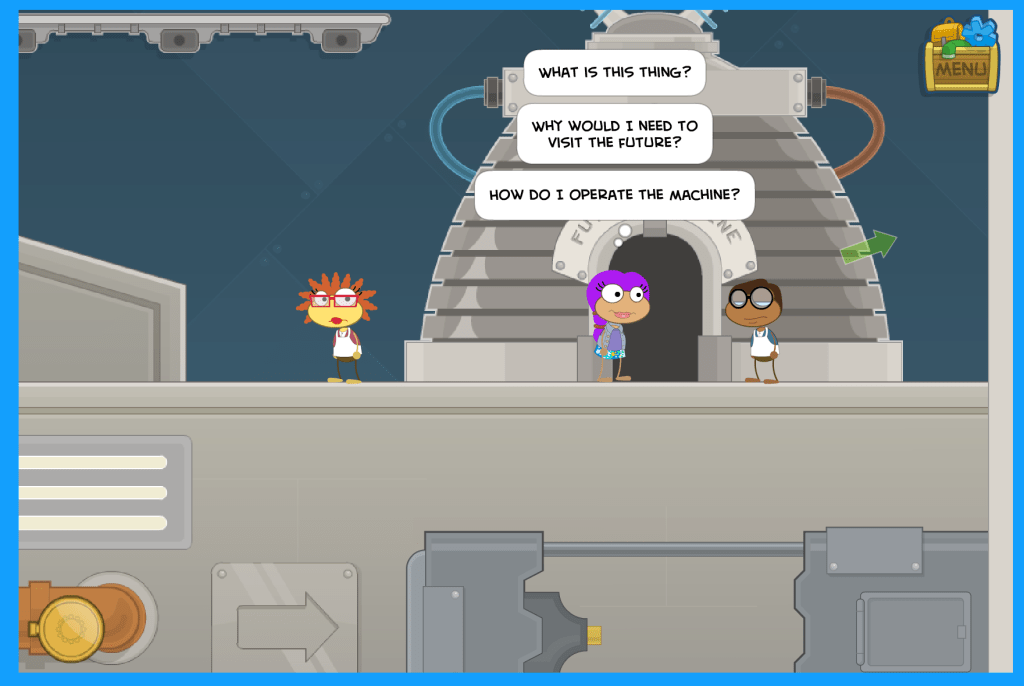
Figure 4: Conversing with the various characters

I was also surprised by the amount of content information that is embedded in the game, which was another affordance. This specific “Time Tangled” island would be particularly relevant for a history classroom. For example, this island not only takes place in numerous historical time periods but also references a variety of historical events, such as the signing of the Declaration of Independence and the construction of the Great Wall of China. In addition, many of the key characters in this island are real historical figures, such as Leonardo da Vinci, Benjamin Franklin, and Great King Mansa Musa. I had never even heard of the last figure who I discovered upon further research was a sultan of the West African Islamic Mali Empire, as shown in figure three.

Incorporating the game into the classroom

Due to its various affordances, I would classify this game as a crossover creative game-based platform, meaning that it could function as a short-form or long-form game, according to chapter three of Mindshifts. Utilizing it as a short-form game, teachers could have their students play Poptropica for a class period or two at the culmination of a world history lesson. In this case, the game would enrich students’ understanding of the historical periods, places, events, and characters they learned about in class. Furthermore, I could envision students making a detailed timeline for based on the “time traveling compass” within the game, which nicely lays out historical time periods and places. 

Figure 5: The “time traveling compass”

Utilizing it as a long-form game, teachers could also incorporate this island multiple times within a series of lessons. By asking students to stop playing the game when they complete a specific objective, the teacher could use the game as a supplement for specific history lessons. The game would then become an integral part of the overarching unit.

While these are two examples of how to incorporate the game in the classroom, I realized that I have only explored one island. There are many different islands, such as 24 Carrot, Mythology, Mission Atlantis, Arabian Nights, Virus Hunter, etc. I look forward to exploring the other islands within Poptropica, which will help me formulate ideas about how to best utilize this game for my students, hopefully within my ELA discipline. 

Figure 6: Some of the various islands

Even when brainstorming ideas, I found it difficult to develop methods of incorporating the game into lesson plans. This game is not your typical “educational game,” and it is unlike the drill-and-practice games that I was so used to playing in school. As I mentioned earlier, I played this game purely for entertainment as a teen. Therefore, figuring out how to bring Poptropica into the classroom was not intuitive. As a result, I understand why many educators are hesitant to incorporate video games in their daily routines. Simply brainstorming ideas for a hypothetical classroom took some critical thinking, creativity, and time, so I can imagine the difficulty of following the same process but for a real classroom setting. Although integrating video games into the classroom may require some extra effort, I do believe that the ultimate pay off for students is worth it.

The fact that I never thought about this game as “educational” when playing it as a child speaks to its value. As mentioned in chapter three of Mindshifts, video games should both excite and challenge our students. In other words, these video games should not be traditional worksheets in disguise. I believe that many students hold the misconception that educational value and fun are mutually exclusive. Fortunately, I also believe video games like Poptropica are tools that we, as educators, can use to dismantle this stereotype.